Tutorials
Automatic Generation of OpenAPI contracts with API Contract Generator
API Contract Generator automates the manual task of creating OpenAPI contracts by automatically creating them from Postman collections and API traffic.
API Contract Generator Overview
A simple step-by-step video outlining how you can autogenerate new OpenAPI contracts using the API Contract Generator
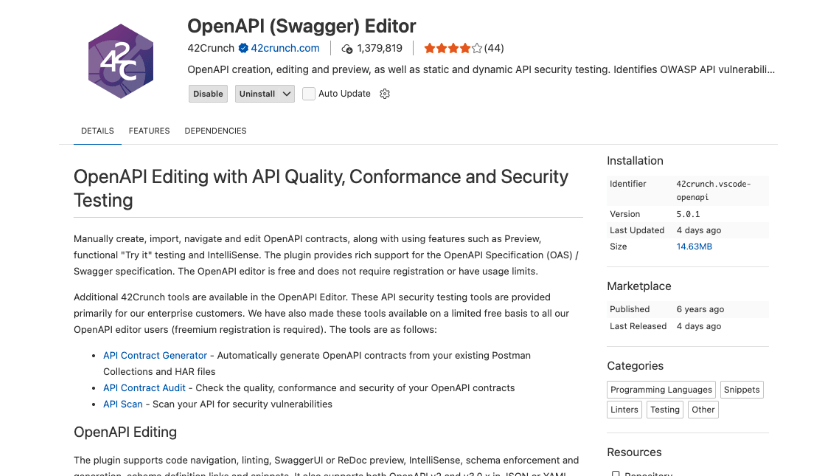
Where to access API Contract Generator
Open the 42Crunch OpenAPI Editor extension in your favorite IDE, e.g. VS Code, JetBrains, Eclipse.
How to access API Contract Generator
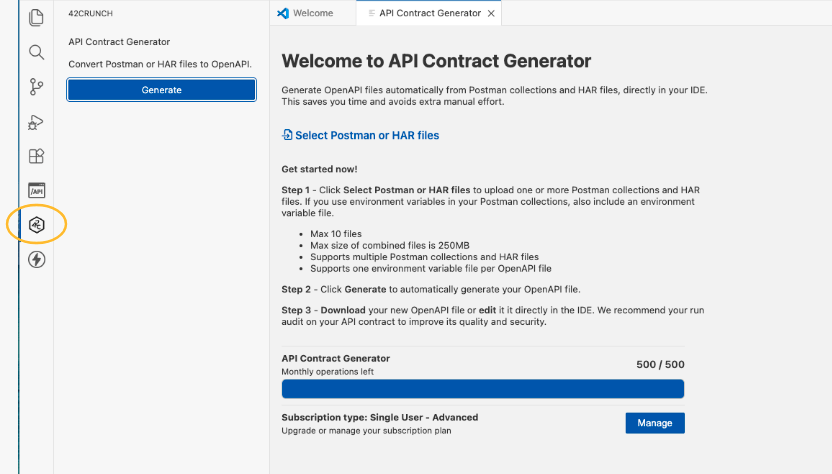
Navigate to the API Contract Generator tool, from the 42C icon on the side panel.
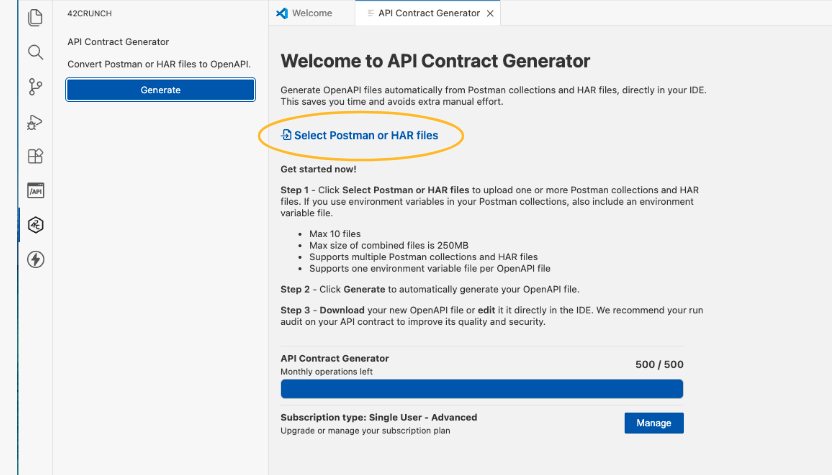
Select your input files
"Select" the Postman Collection, Postman environment variable and HAR files from your file system. These files will supply the API Contract Generator with the necessary information to generate a new OpenAPI contract. The quality and coverage of the newly generated OpenAPI file are dependent on the quality of the information supplied in those files.
Autogenerate your new OpenAPI file
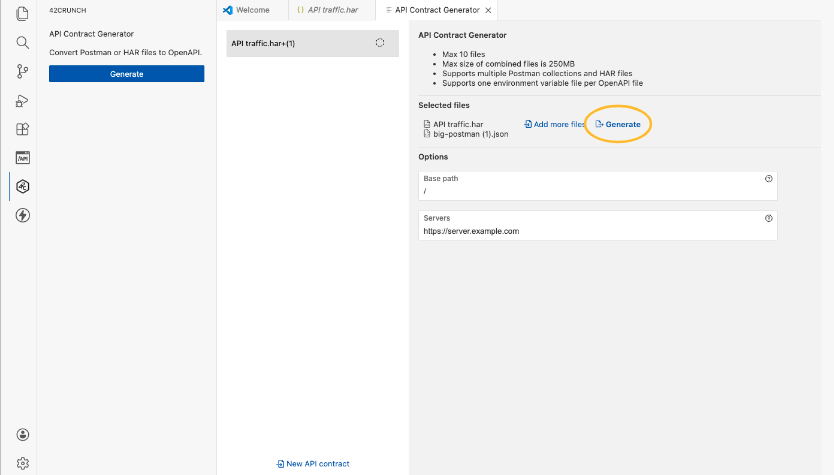
Once you have selected all the input files, click on "Generate" to autogenerate the new OpenAPI file
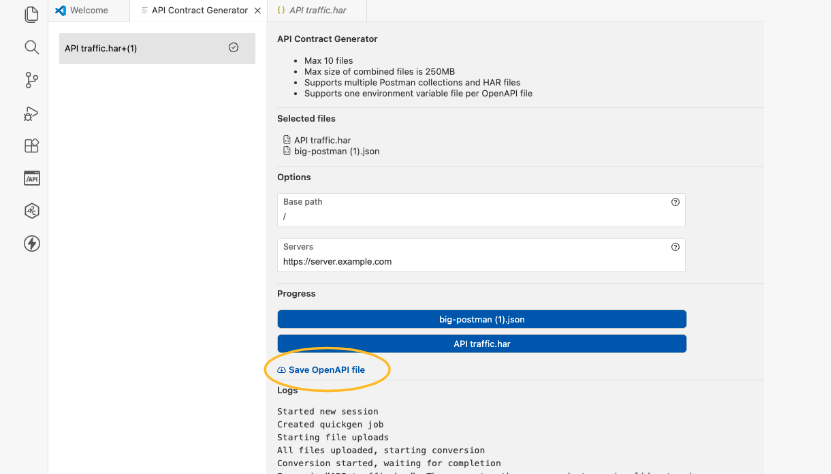
Save and Open the new OpenAPI Contract
The newly generated OpenAPI file can be saved and then opened in the IDE for further editing or auditing.